
WhatsApp AI Intake (Emma)
Tenants message the property's WhatsApp number directly — with photos or video of the issue if they want. Emma reads the conversation, labels it with the correct maintenance category, and opens the ticket automatically.
Bedspace Manager manages maintenance tickets from submission to resolution — with time tracking, filters, and dashboard visibility so nothing falls through the cracks. Tenants can now report an issue straight from WhatsApp; Emma, the AI assistant, opens the ticket for them.
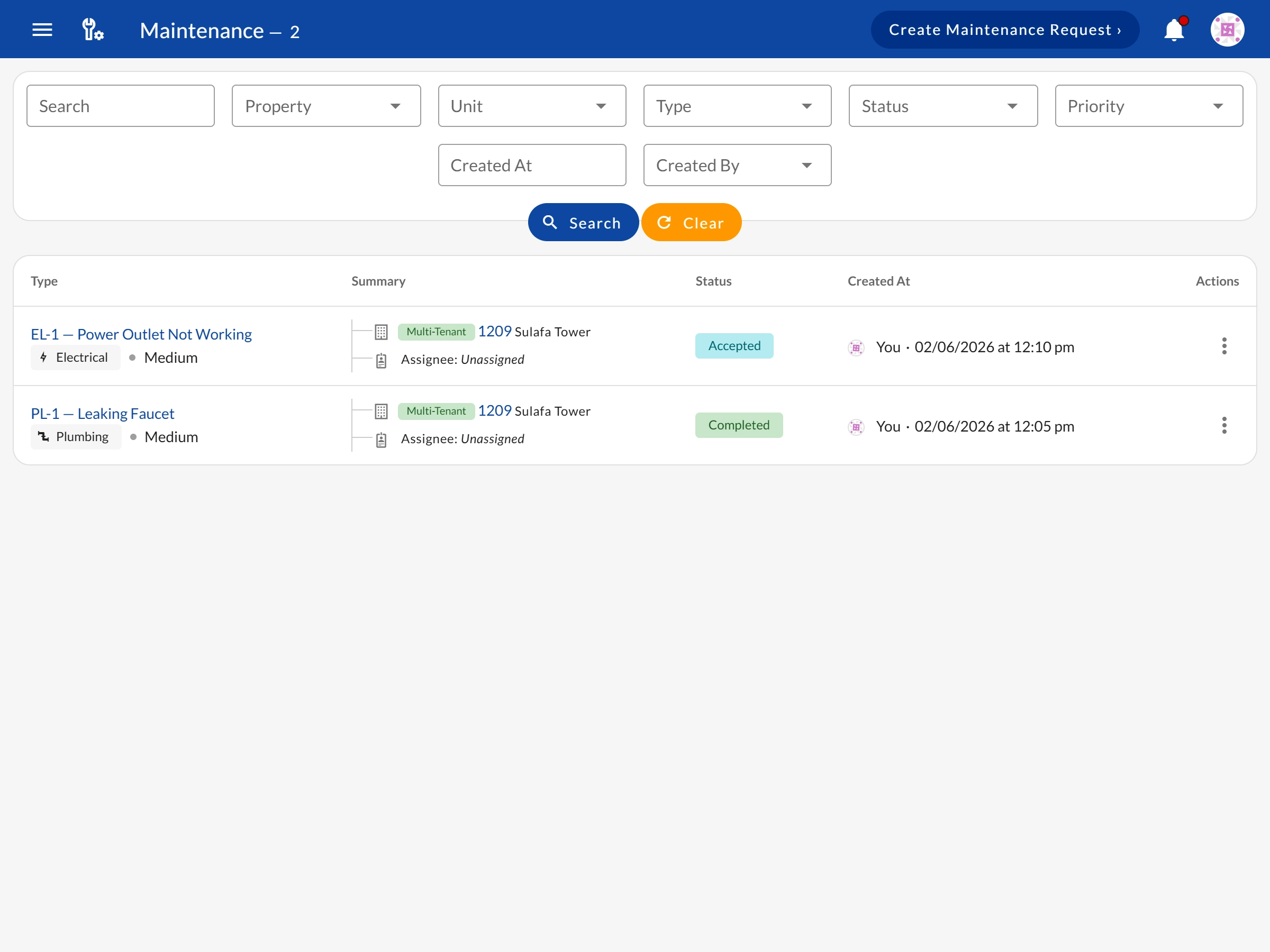
A ticket is opened by a team member — or by the tenant themself, texting Emma on WhatsApp, who auto-labels the correct category. Either way it lands in the same queue with the type, description, and urgency.
Assign the request to a team member or vendor. The Agent role in your team is purpose-built for handling maintenance requests.
Log time spent on the request as work progresses. Time tracking is built into each request — no separate tool needed.
Mark the request as resolved when work is complete. The full timeline, time log, and original WhatsApp thread stay on the record.
A tenant messages your property's WhatsApp number and describes the problem — a photo or a short video attached if it helps. Emma, your AI assistant, reads it, replies to the tenant right away, and creates the maintenance ticket in Bedspace Managerautomatically — no operator has to type it in.
Emma · AI Assistant
online
Ticket created
In seconds, not hours
Tenants message the property's WhatsApp number directly — with photos or video of the issue if they want. Emma reads the conversation, labels it with the correct maintenance category, and opens the ticket automatically.
Filter maintenance requests by type, status, property, assigned team member, or date range. Find the request you need across any portfolio size.
Log the time spent working on each maintenance request. Know exactly how long every issue took to resolve — useful for vendor billing and team accountability.
Two dedicated dashboard widgets: Maintenance Summary by Type (what categories are most common) and Maintenance Summary by Status (how many are open, in progress, resolved).
The Agent team role has access to maintenance requests only — no financial data, no tenant billing. Perfect for maintenance contractors who need limited system access.
The Agent role is specifically designed for maintenance contractors and external service providers. Agents can view and update maintenance requests — and nothing else. No access to tenant billing, financial data, or lease records.
Learn about Team RolesWhatsApp Maintenance Requests
How Emma turns a tenant's WhatsApp message into a tracked ticket, end to end
Team Roles
The Agent role gives contractors maintenance-only access — no financial or tenant data
Tenant Management
Every maintenance request ties back to the tenant and unit that reported the issue
Property Management
Filter and track maintenance requests across your full property hierarchy
Emma opens the ticket, your team assigns, time-tracks, and resolves it — all in one place. No more messy group chats or lost complaints. Start free today.
See all features → Back to Features