
Operations

18 widgets. One dashboard.

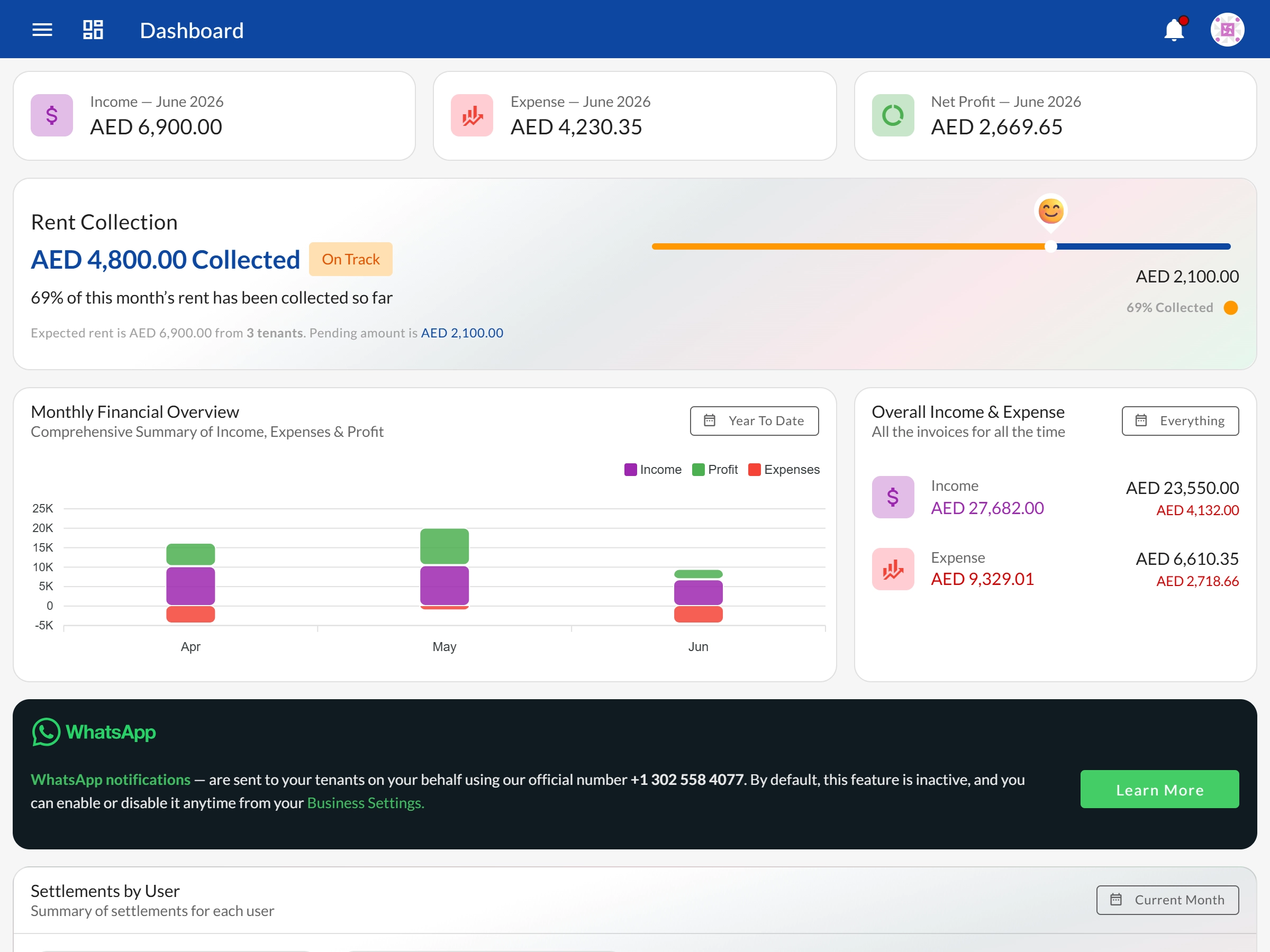
Bedspace Manager's dashboard puts your entire business on one screen — income, occupancy, leases, maintenance, and reminders — updating live as your data changes.

app.bedspacemanager.com
Bedspace Manager dashboard showing all 18 widgets — financials, lost rental revenue, occupancy, leases, and maintenance
Complete Visibility

All 18 widgets, grouped by purpose

Every widget answers a real business question — no filler metrics, no vanity charts.

Financial

  • Current month income, expense & net profit summary
  • Current month rent collection summary
  • Monthly financial summary (bar charts)
  • Overall income & expense totals
  • Income & expense by narrations
  • Income & expense by narrations (pie charts)
  • Income & expense by settlements
  • Lost rental revenue — month-wise vacancy cost
Occupancy

  • Unit type occupancy overview
  • Single & multi-tenant property occupancy
  • Properties summary by bedrooms, types, tenancy & furnishing

Leases

  • Lease billing period summary
  • Lease status summary
  • Lease summary by rent

Tenants

  • Tenant demography summary

Maintenance

  • Maintenance summary by type
  • Maintenance summary by status
New Widget

Lost Rental Revenue

Your dashboard has always shown what you earned. This widget shows what you didn't. Every bed that sat empty is priced and totalled — month by month, for each unit, each property, and the business as a whole.

The rate comes from the average rent of the leases that unit has actually held, falling back to its base rent when there's no lease history yet. So the figure reflects what the space really earned, not an asking price.

How lost revenue is calculated

Unit & bed

Which individual spaces are chronically empty — not just occasionally between tenants

Property

Two buildings at the same occupancy can lose very different amounts, depending on which rooms are vacant

Whole business

One monthly figure to put beside your net profit — how much bigger the month could have been

Lost rental revenue is an operational estimate of opportunity cost. It never affects your invoices, transactions, or reported profit.

Calendar View

Every business event mapped to a date

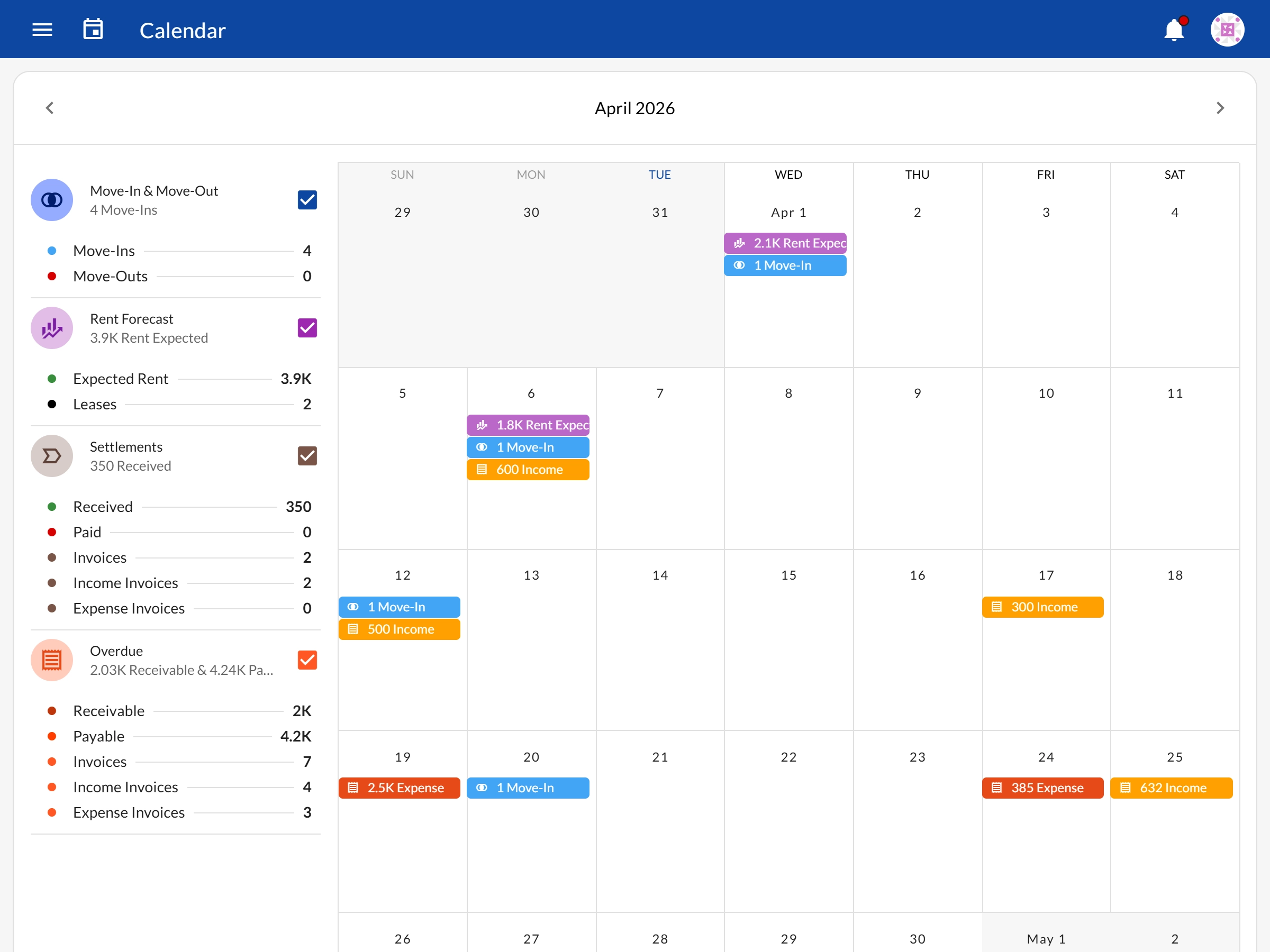
The Calendar view shows your full business activity across a monthly grid. Click any date to see the breakdown for that specific day — move-ins, rent due, settlements, and overdue amounts.

  • Move-ins & Move-outs

    Monthly collective total + date-wise breakdown of who's arriving or leaving

  • Rent Forecast

    Monthly rent expected + daily breakdown of what's due on each date

  • Settlements

    Monthly settlement total + date-wise view of what was actually collected

  • Due / Overdue

    Monthly outstanding + daily view of what's unpaid and past due

Explore Calendar View
Dashboard calendar view showing move-ins, rent due dates, and settlements by day

Dashboard

Live Data

See your business in real time

Start a free trial and explore all 18 dashboard widgets across your actual properties.

See all features → Back to Features